Audit Logging
LightMesh records audit data at two levels:
- API activity: every GraphQL operation your user or API key performs (stored in
ApiActivities, queried withactivities). - Data changes: create/update/delete events on IPAM records (stored in
Changesper organization schema, queried withchangesanduserChanges).
Use the UI for day-to-day review, or call the GraphQL queries below from Postman, scripts, or automation. For API authentication, see LightMesh API and New API Key.
Where to view audit data in the UI
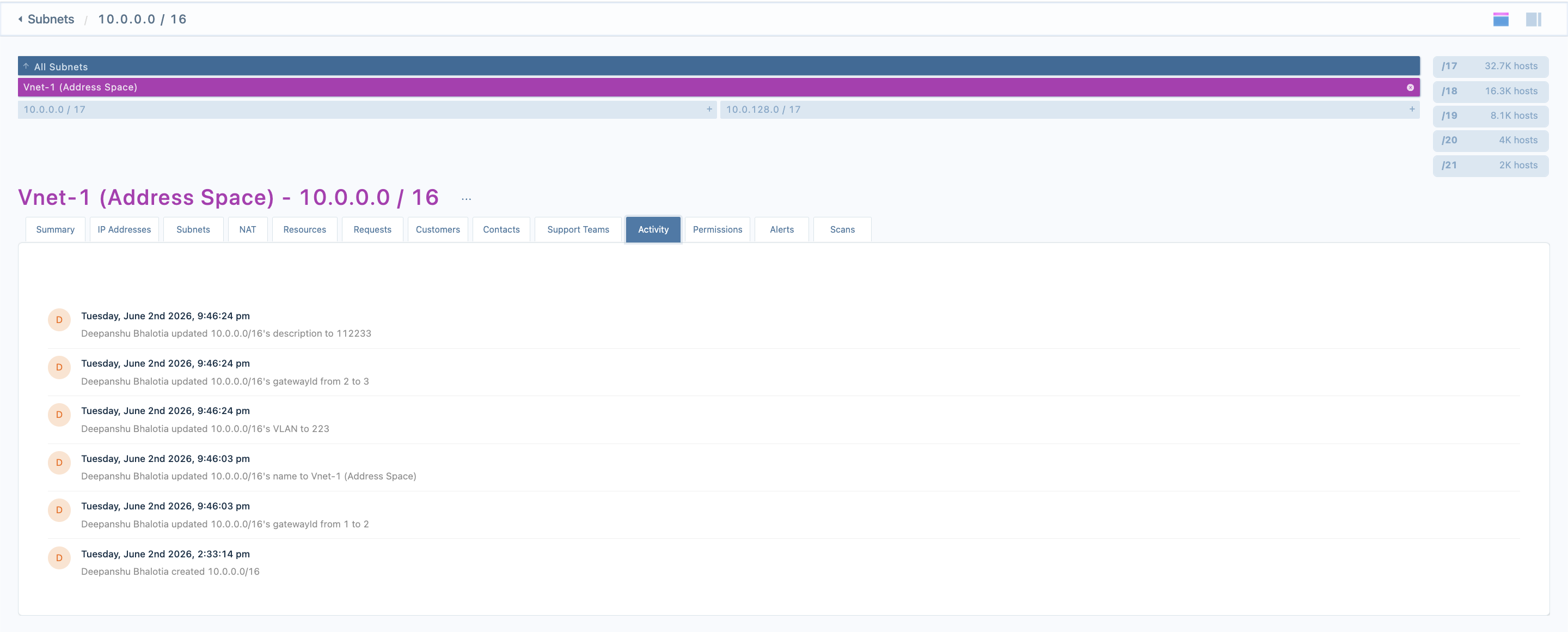
Subnet Activity tab
Open a subnet and select the Activity tab to see change history scoped to that subnet’s network address.
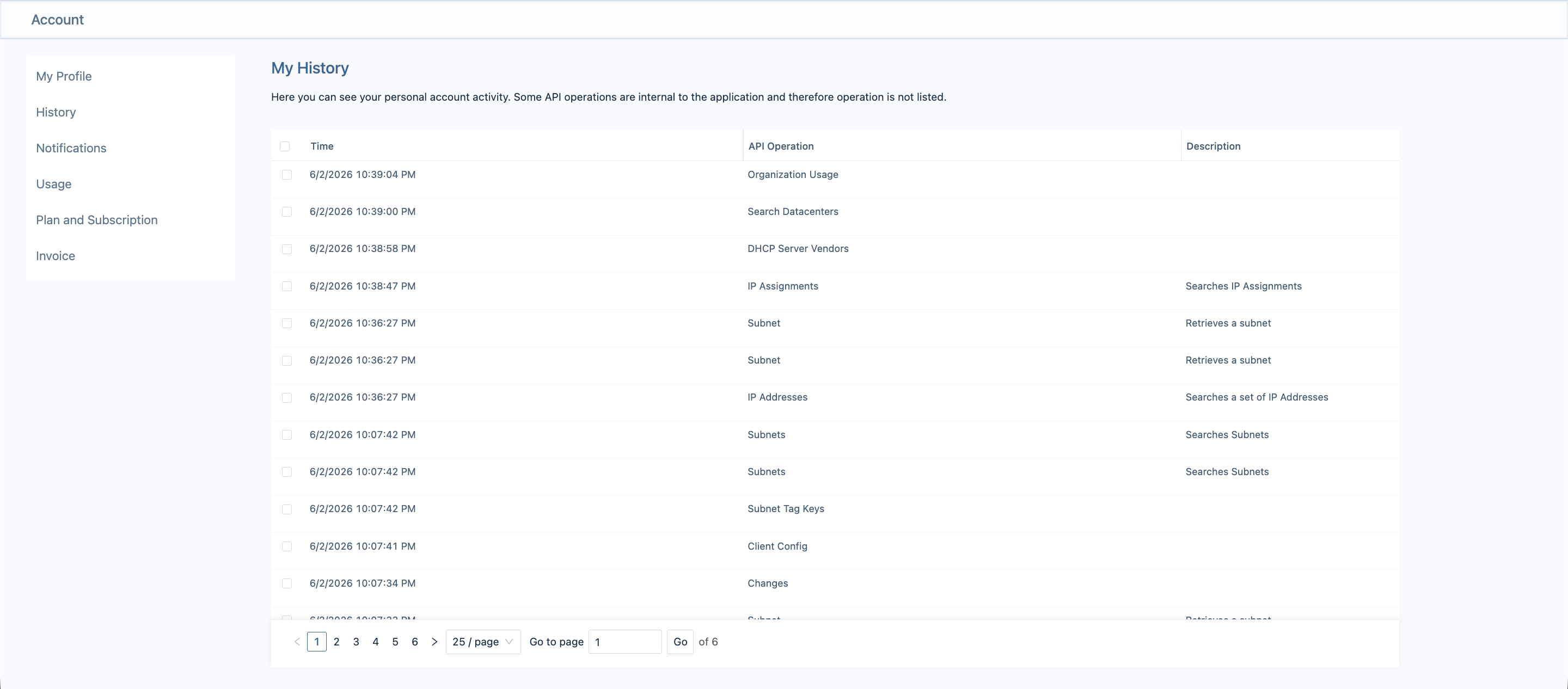
My History (account)
Signed-in users can open My History under their account settings to see their own API operations (the activities query for the current user).
Authentication
All audit queries use the same GraphQL endpoint as the rest of LightMesh:
POST https://next.lightmesh.com/graphqlBrowser session: use your normal logged-in session (cookies).
API key or CLI token: send the token header, as described in LightMesh API:
Content-Type: application/json
token: <your-api-key>
Optional CLI headers (cli_request, installed_version) are recorded on API activity rows as source and version when present.
Query overview
| Query | Purpose | Typical use |
|---|---|---|
activities |
GraphQL API usage for a user | Compliance, “who called what,” debugging integrations |
changes |
Changes within a subnet CIDR | Subnet Activity tab, subnet-scoped audits |
userChanges |
All changes made by a user in the org | User-level audit export, investigations |
Shared list arguments (where supported):
| Argument | Type | Notes |
|---|---|---|
limit |
Int |
Page size; capped at 500 |
offset |
Int |
Pagination offset (default 0) |
sort_by |
String |
Whitelisted per query (see below) |
sort_dir |
String |
asc, desc, ascend, or descend |
since |
String |
Start of range, ISO-8601 (e.g. 2026-05-14T00:00:00.000Z) |
until |
String |
End of range, ISO-8601 |
hoursBack |
Int |
Relative window; used when since is omitted |
Invalid since / until values return a validation error instead of silently returning empty results.
1. activities: API usage log
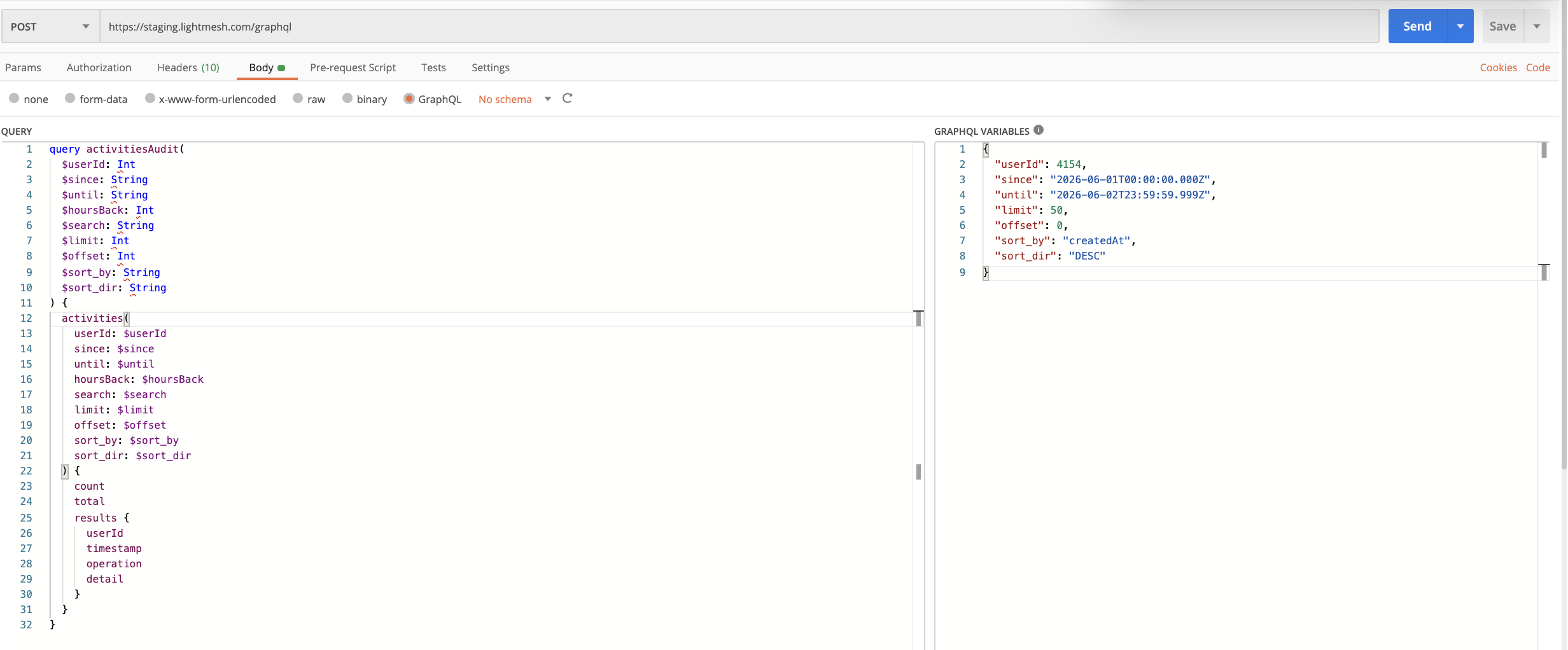
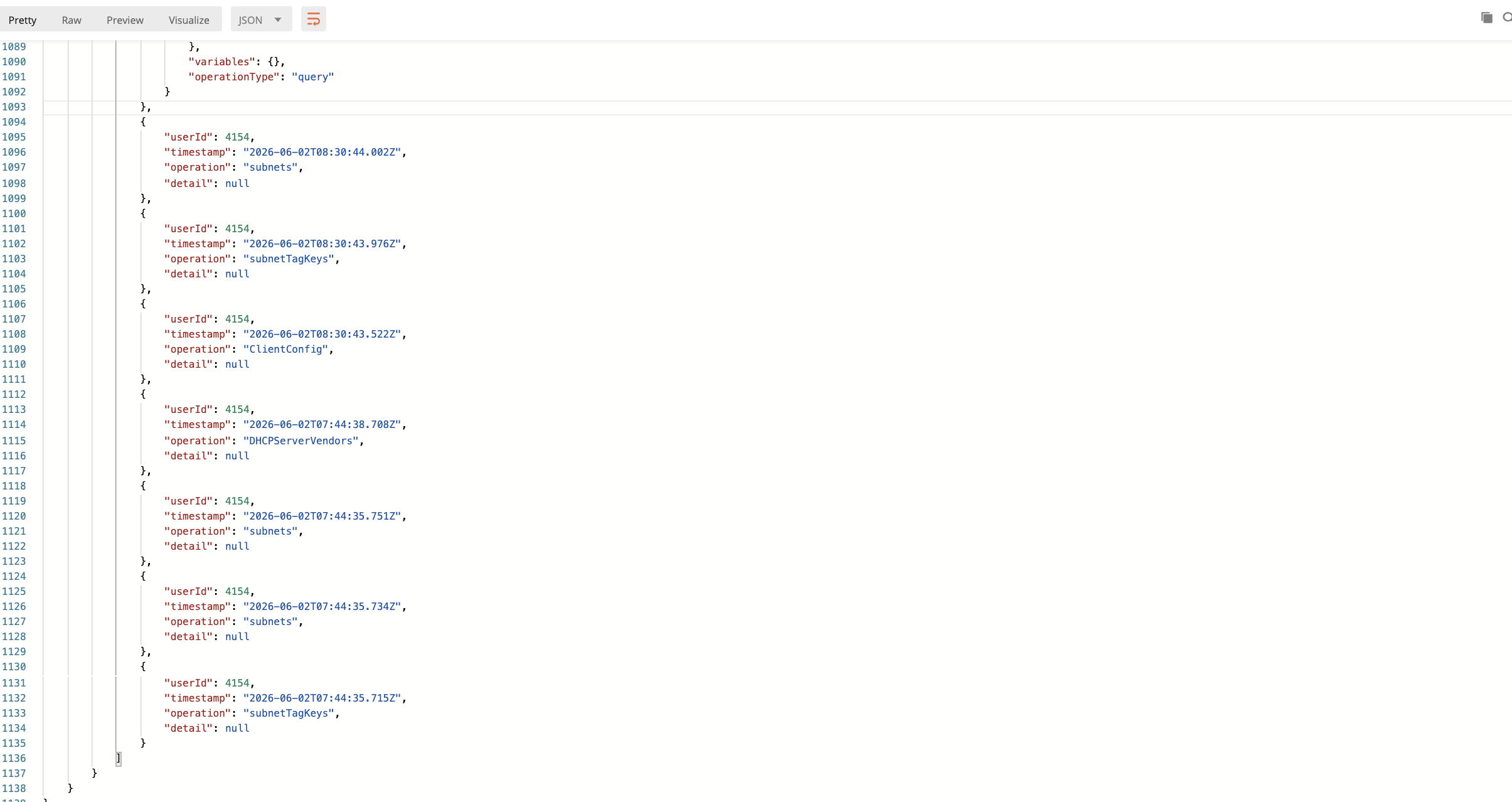
Returns rows from ApiActivities: timestamp, operation name, optional detail JSON (sanitized variables and notes), and userId.
Access rules
- Signed-in user: defaults to your own activity. Pass
userIdonly if you are a superuser or are allowed to view that user in your organization. - API key: you must pass
userIdfor a user who belongs to the same organization as the key.
Noise operations (activities, getMeasurement, CurrentUserQuery, etc.) are filtered out of results.
Example: recent activity for a user
{
  "query": "query ($userId: Int, $limit: Int, $offset: Int, $since: String, $until: String) { activities(userId: $userId, limit: $limit, offset: $offset, since: $since, until: $until, sort_by: \"timestamp\", sort_dir: \"DESC\") { total count results { timestamp operation detail } } }",
  "variables": {
    "userId": 42,
    "limit": 50,
    "offset": 0,
    "since": "2026-05-01T00:00:00.000Z",
    "until": "2026-05-31T23:59:59.999Z"
  }
}
Example: search by operation name
{
  "query": "query ($search: String, $limit: Int) { activities(search: $search, limit: $limit, sort_by: \"timestamp\", sort_dir: \"DESC\") { total results { timestamp operation } } }",
  "variables": {
    "search": "createSubnet",
    "limit": 25
  }
}
Example: last 24 hours (hoursBack)
{
  "query": "query ($userId: Int!, $hoursBack: Int) { activities(userId: $userId, hoursBack: $hoursBack, sort_by: \"timestamp\", sort_dir: \"DESC\") { total results { timestamp operation } } }",
  "variables": {
    "userId": 42,
    "hoursBack": 24
  }
}
Sort columns: timestamp, operation (default: timestamp DESC).
detail field
When present, detail is JSON written at request time. Sensitive variable names (password, token, api key, etc.) are redacted. Read-only queries include a note that no before/after exists; mutations may reference corresponding Change rows for tracked models.
2. changes: subnet-scoped change history
Returns Change rows for addresses contained in the given subnet (networkAddress is required).
Matches what the subnet Activity tab loads: changes whose networkAddress falls within the subnet CIDR, optionally filtered by changeableType, changeableId, and zoneId.
Example: subnet activity (Subnet model)
{
  "query": "query ($model: String, $id: Int, $zoneId: Int, $networkAddress: String!, $limit: Int) { changes(changeableType: $model, changeableId: $id, zoneId: $zoneId, networkAddress: $networkAddress, limit: $limit, sort_by: \"createdAt\", sort_dir: \"DESC\") { count results { createdAt changeableType changeableId changeType user { firstName lastName } auditDescription auditBefore auditAfter } } }",
  "variables": {
    "model": "Subnet",
    "id": 1,
    "zoneId": 1,
    "networkAddress": "10.0.0.0/16",
    "limit": 50
  }
}| Argument | Required | Description |
|---|---|---|
networkAddress |
Yes | Subnet CIDR (e.g. 10.0.0.0/16) |
changeableType |
No | Model name filter (e.g. Subnet, IPAssignment) |
changeableId |
No | Record id filter |
zoneId |
No | Zone id filter |
Sort columns: createdAt, changeableType (default: createdAt DESC).
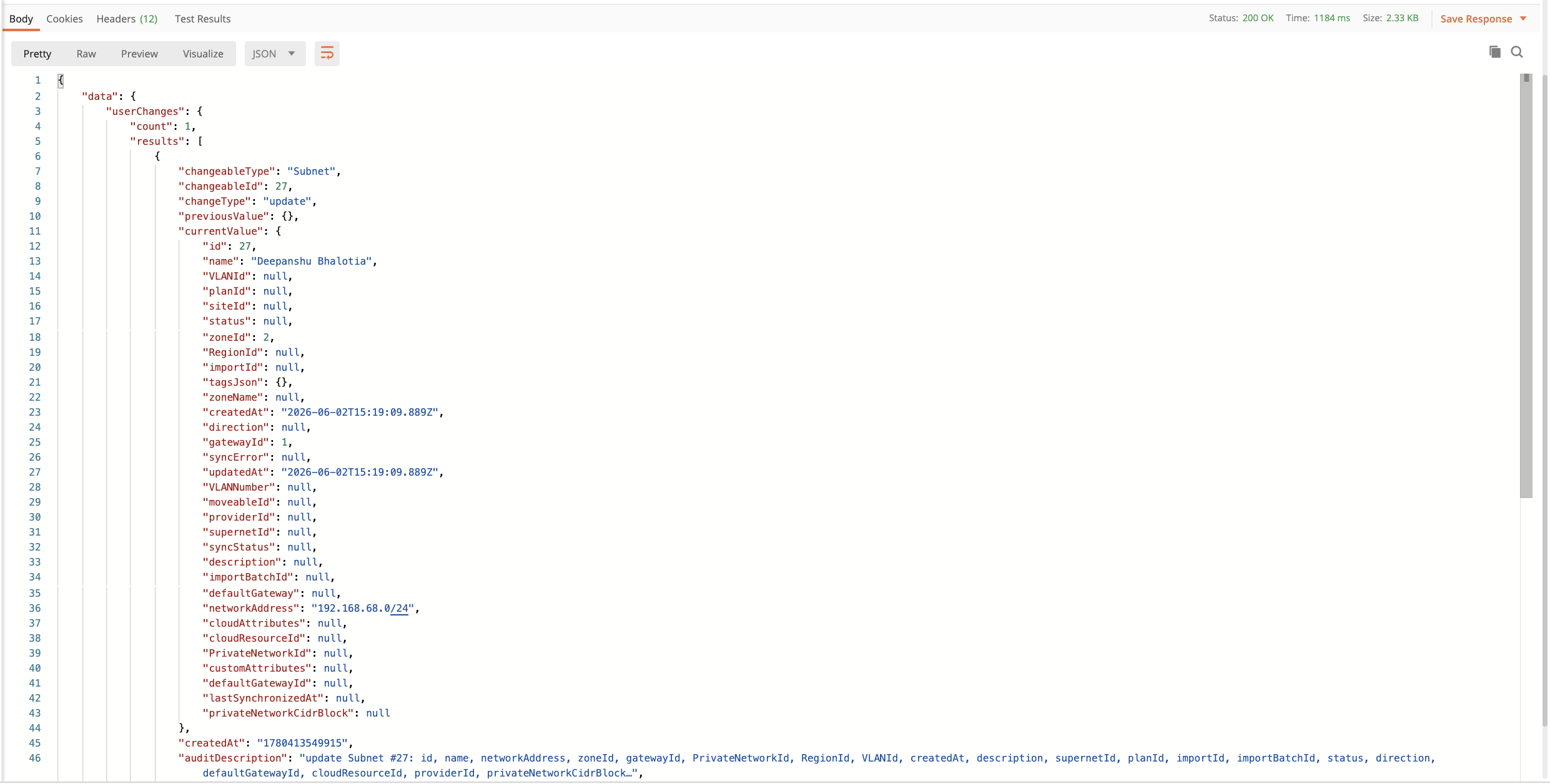
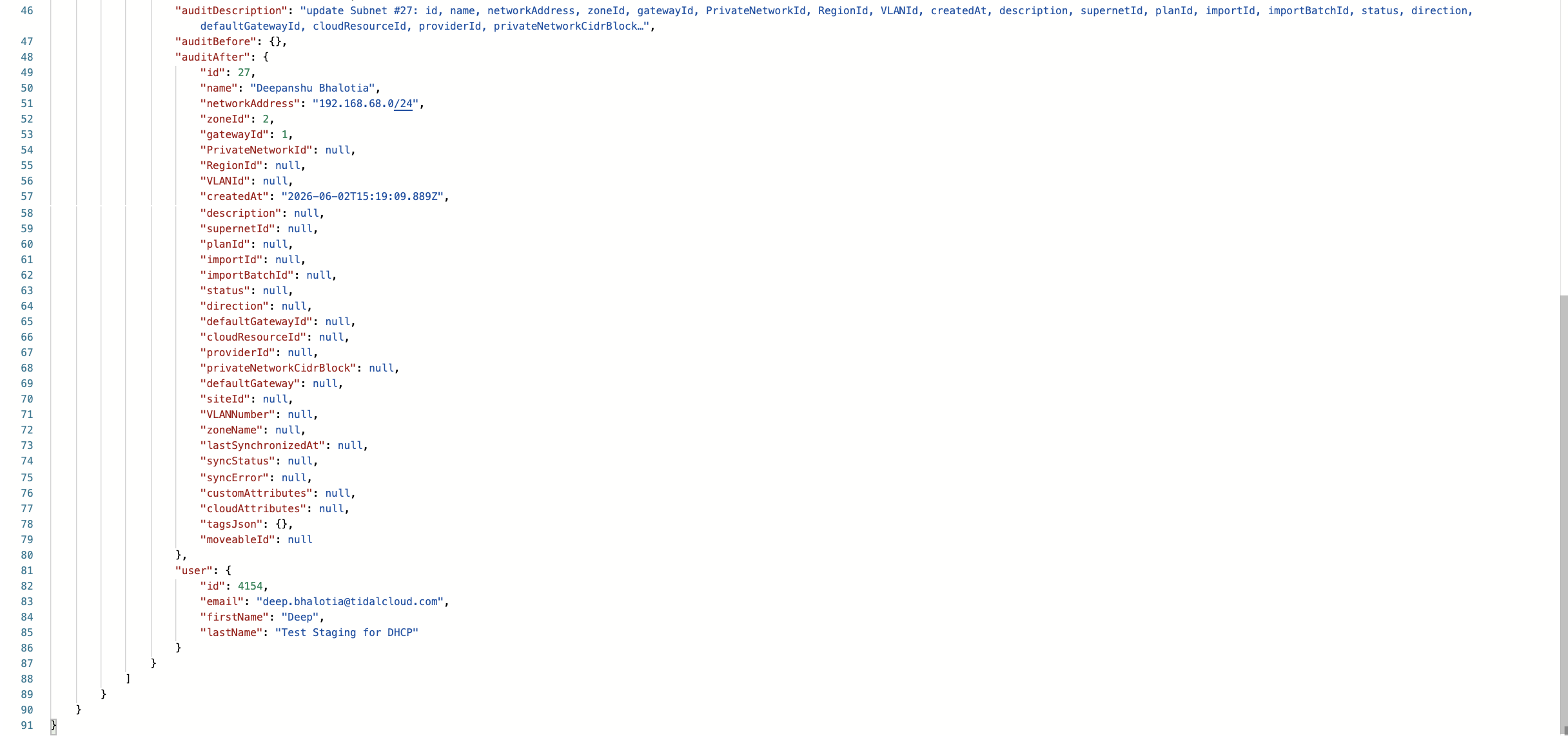
Presentation fields
auditDescription: human-readable summaryauditBefore/auditAfter: JSON snapshots when availablepreviousValue/currentValue: raw change payloadsdocument: legacy text description where present
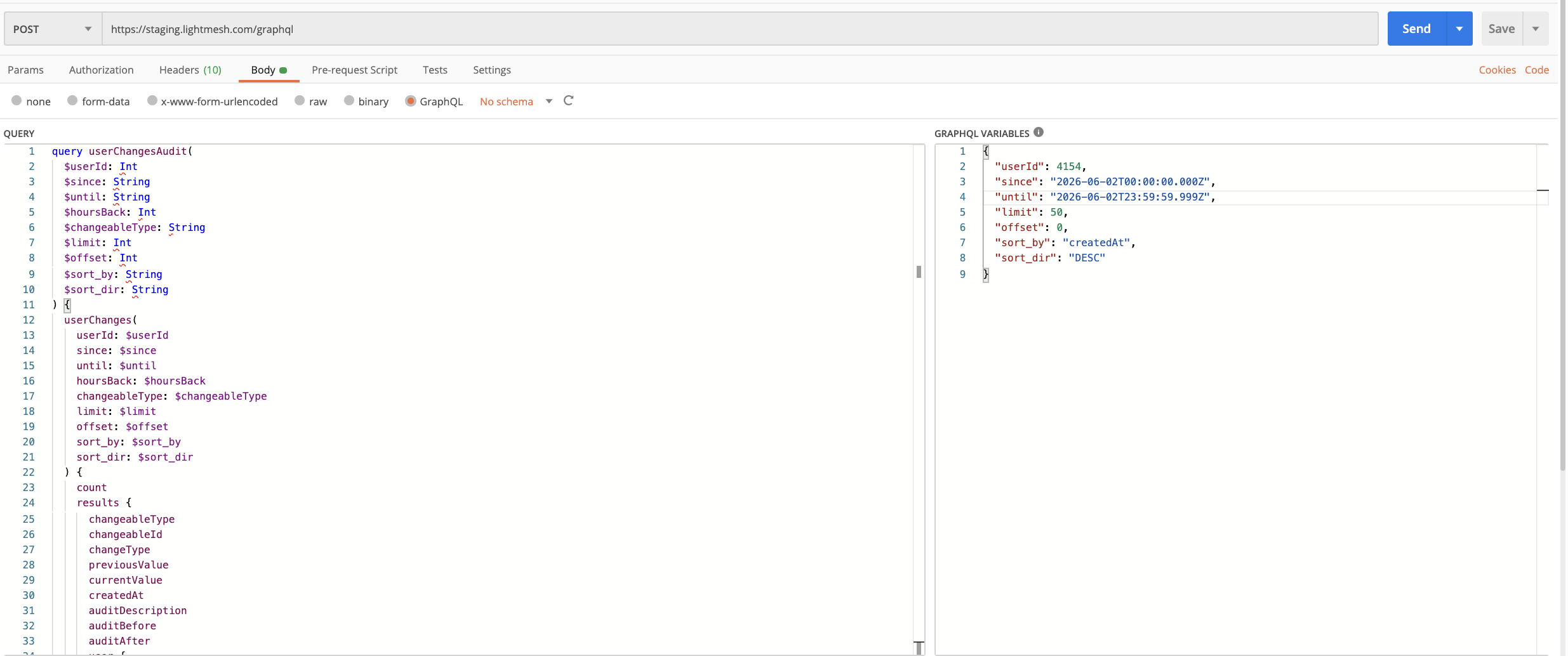
3. userChanges: per-user change history
Returns Change rows for a single user across the organization schema. Use this for “everything user X changed” reports.
Access rules
Same as activities: API keys must pass userId for a member of the key’s org; normal users see themselves unless they are superusers.
Example: user changes in a date range
{
  "query": "query ($userId: Int!, $since: String!, $until: String!, $limit: Int, $offset: Int) { userChanges(userId: $userId, since: $since, until: $until, limit: $limit, offset: $offset, sort_by: \"createdAt\", sort_dir: \"DESC\") { count results { createdAt changeableType changeableId changeType previousValue currentValue auditDescription } } }",
  "variables": {
    "userId": 42,
    "since": "2026-05-01T00:00:00.000Z",
    "until": "2026-05-31T23:59:59.999Z",
    "limit": 100,
    "offset": 0
  }
}
Example: filter by entity type
{
  "query": "query ($userId: Int!, $changeableType: String, $hoursBack: Int) { userChanges(userId: $userId, changeableType: $changeableType, hoursBack: $hoursBack, sort_by: \"createdAt\", sort_dir: \"DESC\") { count results { createdAt changeableType changeableId changeType } } }",
  "variables": {
    "userId": 42,
    "changeableType": "IPAssignment",
    "hoursBack": 168
  }
}
Sort columns: createdAt, changeableType (default: createdAt DESC).
Pagination pattern
Both list types return count (rows in the current page) and, for activities, total (full match count).
Request the next page by increasing offset by the previous limit:
{
  "variables": {
    "userId": 42,
    "limit": 50,
    "offset": 50,
    "since": "2026-05-01T00:00:00.000Z",
    "until": "2026-05-31T23:59:59.999Z"
  }
}
Common errors
| Message | Cause | Fix |
|---|---|---|
userId is required when authenticating with an API key |
activities or userChanges without userId on API key auth |
Pass a valid userId in the same org |
networkAddress is required for subnet-scoped changes() |
changes called without CIDR |
Pass networkAddress (e.g. subnet’s networkAddress from subnet query) |
Invalid "since" timestamp... |
Bad date string | Use ISO-8601 UTC timestamps |
Forbidden |
Viewing another user’s audit without permission | Use your own userId or an admin account |
Variable type String vs String! for networkAddress |
Client query out of date | Declare $networkAddress: String! in the client query |
Related guides
- LightMesh API: endpoint, headers, first query
- New API Key: create keys for automation
- API documentation: full schema reference
For superuser analytics (activitySummary, activeUsersByMonth, etc.), those queries are restricted to internal admin use and are not part of standard tenant audit workflows.